.avif)




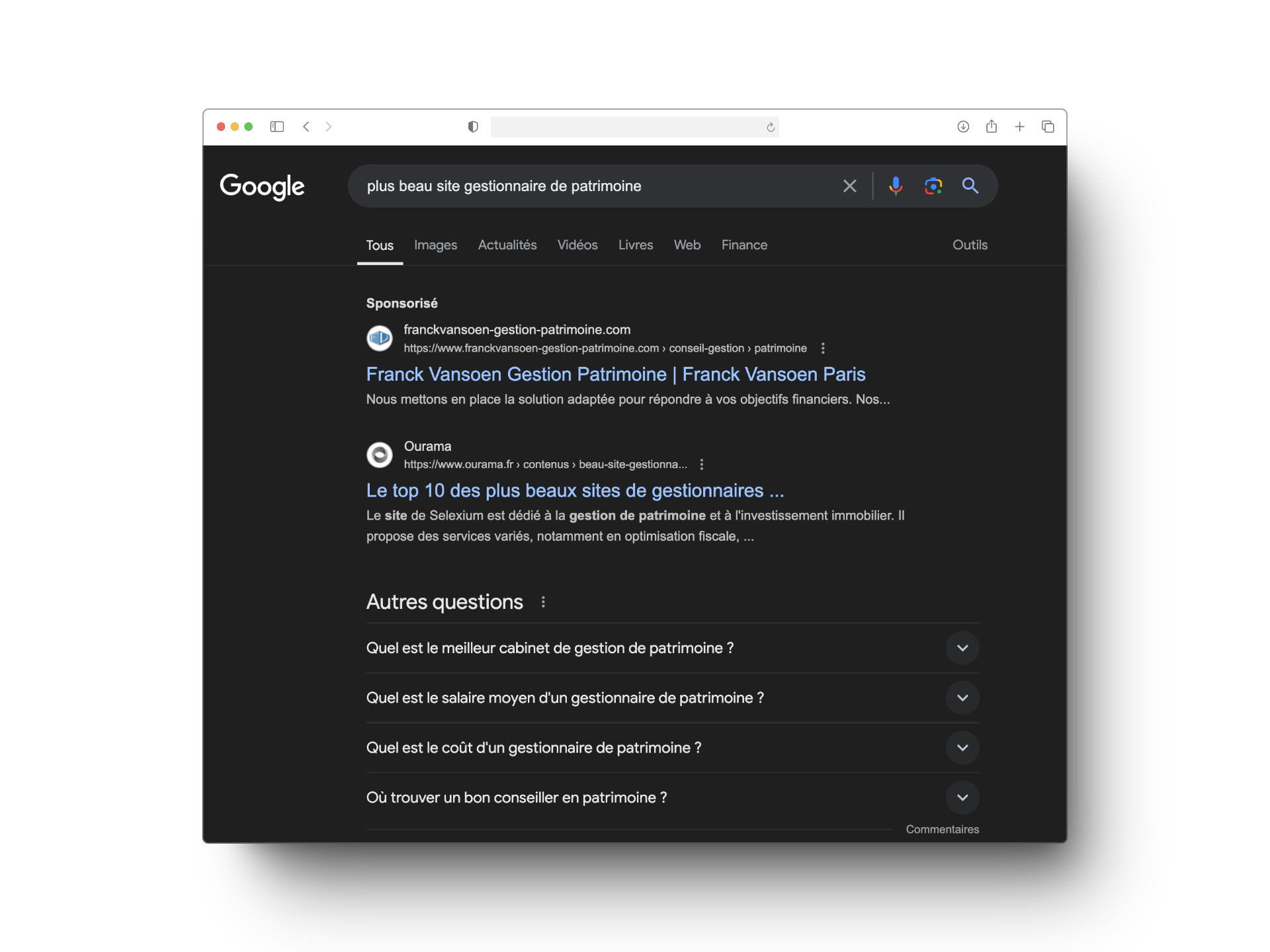
You wonder why, when you search for "wealth manager in Paris" on Google, other people’s sites appear at the top of the Google page and you at the bottom. It is unfair! Well, no, some pay to be right at the top of the search results (SEA), while others have not paid a single cent but have put in place an excellent SEO strategy to be among the first.
We explain everything about SEO for wealth managers. What it is, and why it matters. Then we give you plenty of tips and techniques to put in place to improve or build your SEO strategy.
Understanding SEO for wealth managers
What is SEO?
"Search Engine Optimisation" or organic search, is the set of strategies that let you reach the top of the search results completely free. The aim is to put in place the best possible strategy to end up right at the top of the search engines, to attract as many visitors as possible to your site and raise your chances of winning new clients.
A good SEO strategy takes time (a lot of time). The research, writing articles, analysing the results, the optimisations to make, and so on. And you have to be patient before you see the results. It is a long-term strategy that starts as soon as your website is created. You can climb to the top of the search results quickly, and fall just as fast. It is a real ascent, and it takes method, determination and time !
SEO and wealth managers
Why is SEO essential for wealth managers?
Most people look for information and services, wealth managers included, online. That is why a well-optimised online presence is essential for wealth managers, to attract new clients. Once your site is properly optimised and appears at the top of the search results, you attract organically the clients interested in your services.
Is SEO suited to my way of working?
The first question to ask yourself: does my way of working allow me to do SEO. Concretely, if you do not produce content on the internet, if you do not write any articles and you do not intend to, it will be hard to put in place a complete and effective SEO strategy. SEO suits wealth managers who like writing and sharing content on the internet.
Is SEO suited to my practice as a wealth manager?
To answer that question, you have to know your target and how they search in matters of wealth management. For instance, if you specialise in property wealth management,, it is very likely that your target looks for their wealth manager on the internet. On the other hand, if you work in an ultra-specific field and your clients are, for instance, directors of large companies, SEO will probably have less impact.
💡 Our advice: if your target is a handful of individuals, go and meet them directly.
Even so, it is possible to become a reference in a very precise sector and to position yourself around niche questions through SEO. So the best way to answer this question definitively is to ask the people concerned themselves.
Understanding search engines
Before launching into a strategy, you have to understand and analyse the ground you are working on.
"Search engines", in fact, there is mainly one: Google. Google holds 92% of the market share, so even if you hate the American giant and browse Bing or Yahoo, because you are a rebel, your clients do not.
In a Google search, the first 5 positions take 90% of the clicks! So the objective is simple: to rank as well as possible on Google.
How does Google rank wealth managers' sites?

To index sites and rank them, Google uses robots that we call "crawlers". Those robots explore the web, discover your pages and index them. That is to say store them in an enormous database (the index).
When someone runs a search, the search engine searches that index to bring up the pages that answer the search most relevantly. Google uses algorithms that rely on the quality of the content of the pages, the load speed of the pages, the page structure, the keywords used on each page, your domain authority, and so on, to rank the results. To put it simply, Google analyses every SEO strategy and puts the best ones forward.
Google's algorithms are not fixed. They are constantly changing and analyse the index over and over. That means that SEO is constantly changing. You can be absent from the top of the search results one day and put a strategy in place to appear there. Or the other way around, disappear little by little to the benefit of competitors.
The different kinds of SEO for wealth managers
To put a good SEO strategy in place for your practice, there are 4 main lines to build on. Commonly called the 4 pillars of SEO. They cover every optimisation to make so as to maximise your chances of being well ranked by Google.
- The Onpage : this is the optimisation of your content on your website.
- The Netlinking : it consists of getting links to your site from other relevant sites, to improve your domain authority.
- The technical part : everything to do with the structure and performance of your site.
- SXO : making sure you improve the user experience on your law firm's site.
No panic, we are going to explain it all in detail.
Onpage: optimising the content of a wealth management firm's website
Positioning yourself on the right keywords
How do you choose your keywords?
Several tools help you choose the right keywords for your site and your content. Semrush, Ahrefs and the Google Keyword Planner all do the job. On our side we use Semrush, which is paid to use to its full potential, but which offers 10 free searches a day.
The keywords you use on your site have to be chosen against several criteria:
- Your target : identify concretely the searches your target audience is likely to run. Adapt your terminology to your target's vocabulary. Avoid falling into the trap of jargon that is too technical.
- Volume : consider the number of searches run on a keyword. A high search volume means the keyword is widely used. So it is worth positioning yourself on it and using it in your content.
- "Keyword difficulty" : the problem is that a keyword with an enormous search volume often carries a high "keyword difficulty" too. That means a lot of competing content is already positioned on it and standing out will be hard.
.png)
Long tail keywords
To set yourself apart and rank at the top on keywords, go for long tail keywords rather than generic keywords where competition is fierce. A long tail is generally made of 3 to 5 words, less popular and less competitive.
To build your long tails, here is a simple example:
- Generic word : "Wealth manager". There is fierce competition with every wealth manager in France. It is almost impossible to position yourself on that keyword.
- The semi-generic words to add: "Property wealth manager". That already cuts the level of competition sharply. Not always easy, but well worth positioning yourself on if your content has real quality. A lot of work ahead.
- Long tails, use specific keywords such as "Property wealth manager in Bordeaux". There are fewer searches, but above all far less competition, which gives you the chance to rank among the first search suggestions.
Fewer search intentions does not necessarily mean fewer clients. With long tails, on top of filtering the quality of your prospects, you will probably be far more visible than on a generic word that on paper gets many more searches.
Tags, URLs and images
The title tag in blue below, and the meta description which is the short descriptive text under the title tag, are the first first pieces of information people see when they search for you on Google, and also among the first elements Google uses to rank you on its search engine. Present on every page of your website, those elements have to be optimised to gain visibility and appeal. Avoid going off topic, respect the text lengths so you do not get tags cut off mid-sentence, and choose keywords that generate traffic. 👉 Everything about title and description tags

Other elements of your website deserve thought when you choose your keywords:
- Tags HTML : every page has an H1 tag: it is the title of your page (in general it is almost the same as your title tag). Then it is up to you to prioritise your pages with H2 then H3 tags and so on. Google looks closely at those tags for your ranking, so be meticulous about the choice of keywords for them.
Careful, only one H1 tag per page, and avoid jumping from an H2 to an H4 tag with no H3 in between! To make sure the job is done properly, use the Chrome extension Detailed SEO Extension
- Your URLs : yes, URLs are also a way for Google to analyse and understand the structure of your site. So your URLs have to be short and easy to understand for your users and for Google. A URL name that is tied to the content of the page lets you be better ranked and better rated by Google, just like a URL that uses relevant keywords (avoid special characters and numbers).
- Your images : Renaming your images improves your ranking and lets you be visible on Google Images. Not certain anyone will find you through Google Images, but when in doubt it takes you 10 seconds per image.
- Alt tags : the description tags on your images. Google cannot (yet) analyse images. Filling in the alt tag gives context to Google for the ranking and lets it understand explicitly what you are sharing with your image.
Frequently asked questions (FAQ)
We strongly encourage you to put FAQs on your service pages or other pages. Question-shaped searches are enormously used by Google's users. On top of being a good element of reassurance for the visitors to your site, it is an excellent way to position yourself on highly relevant keywords for attract your prospects and generate traffic to your site. You will find a good example of an FAQ on our page: SEO Agency for Wealth Managers
On top of that, a quality FAQ answers the questions search engine users are asking, and Google reads that as added value for users and boosts your ranking.
Content strategy
Your content strategy rests mainly on two kinds of content: your blog articles and the pages dedicated to your services.
Before writing your articles and pages, ask yourself the right questions. Is it a subject my target cares about ? Is there any traffic on that kind of content? Use tools such as Semrush or Answerthepublic.
Then apply to each of your articles or each of your pages these recommendations:
- Position yourself on relevant keywords.
- Meta title and meta description.
- URL that reads well.
- Internal and external links : add relevant links to other pages or articles on your site (internal links) and to reliable external sources (external links).
- HTML tags : make sure you use HTML tags correctly to structure your content. Use the heading tags (H1, H2, H3 and so on) to prioritise your titles and subtitles. Search engines use those tags to understand the structure of your article and assess how important it is. Only one H1 tag per page, that is the rule!
Careful, when writing your content avoid keyword stuffing. Google's algorithm can tell content that is there to inform from content that is only there to "make noise".
The number one criterion, and the most important for ranking content well, is still the quality of the content.
So think of your readers when you write an article or a page and Google will reward you, so:
- Long articles, that is better, but not empty of meaning. Google prefers articles of 3,000 words to those of 300. Provided they are not devoid of sense and interest.
- Long articles but short sentences!
- Create levels of text : give headings to your sections, use bold text to help readability and ranking.
- Add bullet lists, images, quotes, and even videos !
Netlinking: getting backlinks for my wealth management firm's site
Authority and backlinks
What is a backlink?
Backlinks are the links to your website from third-party sites. For Google, that reads as a mark of quality, because other sites consider your site worth citing as a reference. It matters to watch your backlinks closely, because while a good backlink helps your ranking, there are also toxic backlinks. Google Search Console lets you watch your backlinks and spot the toxic ones. Those on sites with no relation at all to your work or on sites Google reads as spam. You can then ask Google to stop associating you with those sites.
Authority
Your site's authority is its reputation, its reliability and its credibility.
The more backlinks you have of quality the higher your site's authority will be. And you are starting to know the tune. Guess who ranks sites with high authority well: Google!
How do you get backlinks?
Building your web of backlinks is a bit like building a professional network: it takes time, initiative and relevance.
Here are a few concrete strategies:
- Co-writing articles : write with partners in the legal field or in neighbouring sectors to get a link to your site.
- Webinars and podcasts : speaking as an expert. You gain visibility and get a link back.
- Wealth manager directories / matching sites / networks : registering on that kind of recognised site gives you a significant number of quality backlinks.
- Professional networks : LinkedIn! Publish and share as much content as you can that points back to your site.
- Quality content : if your content is good enough, people will share it , people will share it naturally.
Absolutely avoid backlink-buying services, or spamming, meaning sharing your site’s link en masse on forums or in blog comments. Google can detect that kind of intent and will penalise you. Favour quality backlinks over quantity!
Technical SEO: a good wealth manager's site is a healthy site
The third key point of SEO is the technical side. Google looks closely at your site on those points. Concretely it is about the speed and the architecture of your website.
Site speed
Light, clean code
Optimising your site's load speed to improve the user experience and improve your rating with Google. A large part of that work is done when your site is designed.
A major point in doing so is having light, clean code. To do that you obviously will not code your site by hand. You will use recognised tools built for the job. We strongly recommend going through a CMS such as WordPress or Webflow. Avoid at all costs the site builders specialised for wealth managers. We wrote an article and made a video to teach you how to create your landing page on Webflow : it is all here!
Photos, videos, animations and the rest
Every photo demands a greater or smaller amount of resource to appear on your site. To limit the amount of resource required and optimise your pages' load time, choose a suitable image format and weight. For the format, favour the Webp or Avif format which keeps a high image quality while reducing the weight. You can also compress your images so as to shrink them as far as possible (Tiny png 😉)! As a rule, an image on a website should not exceed 100 kb.
To embed videos, a Spotify link or any other element in your CMS, do not do a crude copy and paste! It takes up an enormous amount of space and will slow the page down badly. To do it properly, you have to embed the lines of code directly on your page!
Avoid putting tons and tons of animations on your site. Yes, it looks nice, but unlike us, you are not selling websites, no need to dazzle on your home page to show you can do all sorts of things with a site. For you the objective is simple: have a good-looking site, well ranked and therefore fast to load! Animations demand a lot of resource and so take time to load. Everything Google dislikes.
Your site architecture
Google favours sites with a simple and logical architecture. To rank as well as possible, Google has to be able to analyse and understand how your site links together. A well-designed navigation improves the user experience (UX), essential for keeping visitors engaged and encouraging them to explore your site further. The usual rule is the three-click rule. Every one of your pages has to be reachable in only 3 clicks.
Site Map
A site map is a structured representation of the different pages and sections of a website. It acts as a skeleton on which the site is built, defining how the pages link to each other and how the information is organised and reachable. Creating such a map lets you clearly define the objectives of your site, to avoid creating a maze and optimise your users' experience.
We built you a template to get started on your site map, and an article for a solid architecture: Create my site map
Prioritise your pages
If you group all your activities on the same page, a parent page, Google will categorise that page as your firm's services page, nothing more. Your services will then not be put forward on the search engines. That is why we recommend creating child pages, pages dedicated to each of your services. Google will analyse them, see that the title of your page (the H1 title) is the name of your service. And put your service forward on the search engine.
SXO
The last thing to take into account in an SEO strategy is the user experience (UX). Google works out, through the users' experience, how their visit to your site goes by looking at the number of clicks, the time the user stays on the pages, their behaviour, and gives your site a score. On top of the load speed of the pages, the site architecture and the way of presenting the information that we covered above, and which are crucial elements of SXO, you can take into account:
Search intentions
Every search run has a precise intent. It is up to you to create pages suited to the search intentions you are positioning yourself on.
.png)
- Informational : the user wants to find an answer to a specific question. Positioning yourself on that kind of keyword and doing only commercial content, meaning selling your services, will therefore be ineffective or nearly so. Position yourself on that kind of keyword to establish your expertise, reassure potential visitors by answering their questions and finally, offer them a meeting.
- Navigational : the user is looking for a page, a site or a physical place in particular. That person has already heard of you and is looking to reassure themselves by visiting your website, to find information about you. Being visible on your firm's name, your surname and first name, and so on, is obvious. Not being visible on those could work against you, because it breeds distrust among your prospects.
- Commercial : the user wants to find out about brands or services. Optimise your service pages, to be visible on the right keywords and answer the questions prospects are asking, and to present them with solutions so that you stand out from the competition.
- Transactional : the user wants to carry out an action (a conversion). Being visible on that kind of keyword is not always enough, point them to specific pages carrying elements of reassurance and push as hard as you can towards an enquiry. These are often very competitive keywords so it is up to you to stand out, or to position yourself on long tails.
Mobile First
Mobile searches now outnumber desktop searches.
It is on that observation that Google decided to favour "responsive sites", meaning sites that adapt their display on mobile. In order to offer the best experiences to users, Google puts the mobile version of your site in the foreground in its ranking algorithm, "Mobile First"! To put it simply, if you want to be first in the search engine results you need a site designed for mobile and for desktop. Why responsive design matters
International and local search for wealth managers
Internationally
Your firm works in France but also in other countries around the world. Being ranked internationally is therefore a major stake too. Think about translating your site with localised versions for every country where you work. Adapt your site to each of those countries; browsing habits are not necessarily the same from one country to another.
Think also about translating your content. For video content we recommend the HeyGen tool. We wrote an article and made a video on the subject: Discover HeyGen.
We wrote an article on how to create a multilingual site: Create a site in several languages
Local search
Optimising your local SEO is an effective route for legal professionals, particularly those outside the capital who face less competition than lawyers based in the big cities. But even in Paris, you have a hand to play.
Position yourself on local search keywords. Keywords that target a specific place. Pairing your main keyword with a neighbourhood, a city makes you more visible in your target region. In the continuity of your netlinking strategy, try to get backlinks in local directories, on the pages of local communities or local news sites.
Google Business Profile
Creating and optimising your listing
Optimising your Google Business Profile listing is an essential way to improve your local ranking. Your Google Business Profile listing gets you ranked on Google Maps and wins you a drastic amount of visibility on Google.
To raise your chances of appearing right at the top of the searches on Google Business Profile you have to:
- Position yourself on the right keywords even for your listing
- Name yourself so as to be as visible as possible: "Firm X - Wealth manager specialising in (target query)." Always taking the keywords into account: it may be more interesting to position yourself on "Wealth management for entrepreneurs" than on "wealth manager for SMEs")
- Fill in as many fields as possible on your listing to give as much information as you can. Take particular care over "the category of your activity" (use the best queries as before) and "the services offered" (same again, use Google Trends or Semrush to bring in keywords that perform)
Collecting as many reviews as you can
To grow your visibility and your credibility, it is essential to invite your clients, acquaintances and partners to leave reviews on your Google listing. At the end of every engagement, encourage satisfied clients to give 5 stars to your business on your Google listing.
Google tends to put listings with many positive reviews forward, rather than those with no reviews or negative ones.
More about Google Business Profile
Analysing the results
Once you have all of that in place, how do you know whether your strategy and your keyword choices are effective? You are going to have to analyse and make adjustments for optimise your SEO strategy. For that, a tool you know but do not use enough: Google Analytics.
Google Analytics 4
It is a 100% free tool that lets you understand how users behave on your website. Know where the traffic comes from, how long a visitor stays average on my site, which are the pages that attract the most people, and so on.
Concretely, Google Analytics gives you the data you need to run an analysis of how users behave on your site, to highlight your strengths and weaknesses and take decisions to build on those strengths or make the adjustments needed to work on your weaknesses. To know everything about Google Analytics: 👉 click here 👈
Organic Search
Organic visits on Google Analytics describe and explain your traffic coming straight from the search engine results. Within an SEO strategy, that is the figure that will interest you. It highlights the keywords that work, your best ranked pages and the ones that are completely invisible. For instance: your service page 2 generates little traffic compared with your service page 1 for a service that is nonetheless more common, compare the actions you took and apply those lessons to the sections that perform less well
.jpg)



.webp)