.avif)




Ranking first on Google Maps: local SEO
I am not talking here about becoming the first website on Google, or simply optimising your SEO. I am talking about optimising your local ranking, which means your Google Business Profile listing, the one that shows on Google Maps.
Google Business Profile is a powerful tool for chartered accountants, particularly those outside the big cities, where competition is often lighter than for firms based in large cities such as Paris.
Even in Paris, though, standing out is entirely possible. Take my searches for "Expert-comptable Paris" and "Expert-comptable autour de moi", the classic queries for someone looking for a professional nearby. Three points stand out clearly:
- Some chartered accountants have cleverly worked their specialism into their name, which makes them more visible in the results.
- So it is entirely possible to rank well rank in Paris, even with few reviews!
.png)
.png)
Now to the practice
To start, search for the most searched terms on Google Trends
You can compare two queries and position yourself on the keywords that are most searched and most relevant to your work. Here, "Expert comptable Paris" is far more relevant than "Expert comptable autour de moi".
.png)
Once your target queries are set, you have to work them into your Google Business Profile listing.
So move from the name of your firm to Firm X - chartered accountant in (target query).
Then take every optimisation opportunity available and give as much information as you can. Two elements deserve particular attention:
- The category of your business (use the best queries, as above)
- The services offered (same again: use Google Trends or Semrush to work in keywords that perform)
Go fishing for reviews
To promote your business, it is essential to invite your clients, contacts and partners to leave reviews on your Google listing, and to make sure you reply to them.
At the end of every engagement, encourage satisfied clients to give your business 5 stars on your Google listing. If you want to be sure they are happy before asking for a review, build a satisfaction form with a tool such as Typeform or Tally.
Ask them to rate their experience 10/10 on the form, and you can then send them a link to leave a review on your Google listing. If their rating is below 10/10, get in touch to talk about their experience and fix any problems.
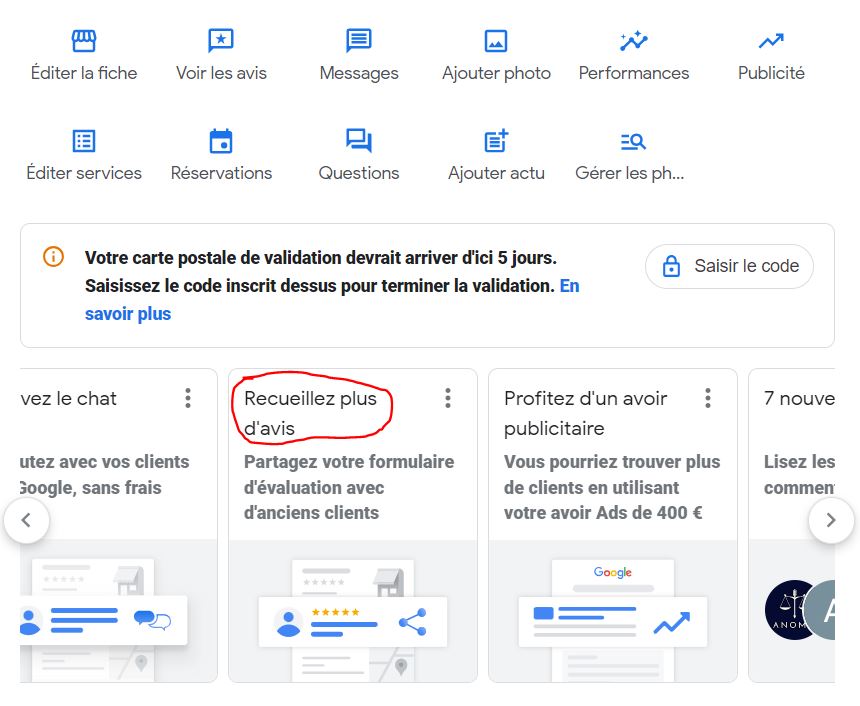
To make sure, send a direct link to add a review, like this:
Automating Google Business Profile review collection as a chartered accountant
You can automate that review collection.
The magic tool: Tally plus Make
1️⃣ Tally : build a quick satisfaction form to send your clients.
- Example: "On a scale of 1 to 10, would you recommend our services?"
- If the answer is 9 or 10, they are happy and the automation can run
2️⃣ Make : automate the process.
- If a client gives a high score, 9 or 10, Make automatically sends a personalised email asking them to leave a 5-star review on your Google Business Profile, with the review link.
Getting Google reviews when you have no clients yet
Offer free consultations in exchange for a review
The simplest way to start: give your services away.
- Offer free or discounted consultations, stating from the outset that you would like a review in return.
- Be clear: you are asking for honest feedback on their experience, not a forced positive review.
👉 Example:
"I am starting out and I offer a free consultation to help you on [specific subject]. If you are happy with it, a short Google review would be very welcome."
Help your professional or personal circle
The people around you and your network can be your first "clients".
- Help an entrepreneur friend, a family member or a contact in your network, free of charge.
- Once the work is done, ask them for a review that reflects their experience, even if they were not paying clients.
Work with other professionals
Offer your help to other experts: notaries, lawyers, entrepreneurs.
- If your services bring value, they may thank you by sharing a review on your Google profile.
Over to you!
We are here if you need help on the subject. Do not forget: anyone who lands on your Google listing will go and look at your website. The more reassuring the site behind it, the more prospects you will get.
.jpg)



.webp)