.avif)




Building a professional and effective is essential for notaries who want to strengthen their online presence. With so many tools available, an informed choice is hard to make. This article compares the main options to help you pick the one that fits your needs.
What notaries actually need from their website
Notaries have specific requirements when it comes to their online presence. A notary's website has to make it possible to:
- Publish informative content : articles, legal news and practical advice that inform potential clients.
- Present property listings : showcase the properties available, with detailed descriptions and images.
- Make online booking easy : let clients schedule a consultation straight from the site.
- Avoid client portals, for cybersecurity reasons : to protect sensitive data, it is better not to build a client portal into the site.
"A well-designed site answers the specific needs of notaries while keeping information secure."
The tools for building your website
WordPress
WordPress is one of the most widely used website platforms in the world.
- Strengths :
- High flexibility, thanks to a huge choice of themes and plugins.
- Advanced SEO control to improve your visibility in search.
- An active community offering support and resources.
- Weaknesses :
- A steeper learning curve for beginners.
- Regular maintenance required for updates and security.
"WordPress is a powerful tool for anyone looking for a professional solution that can grow with them."

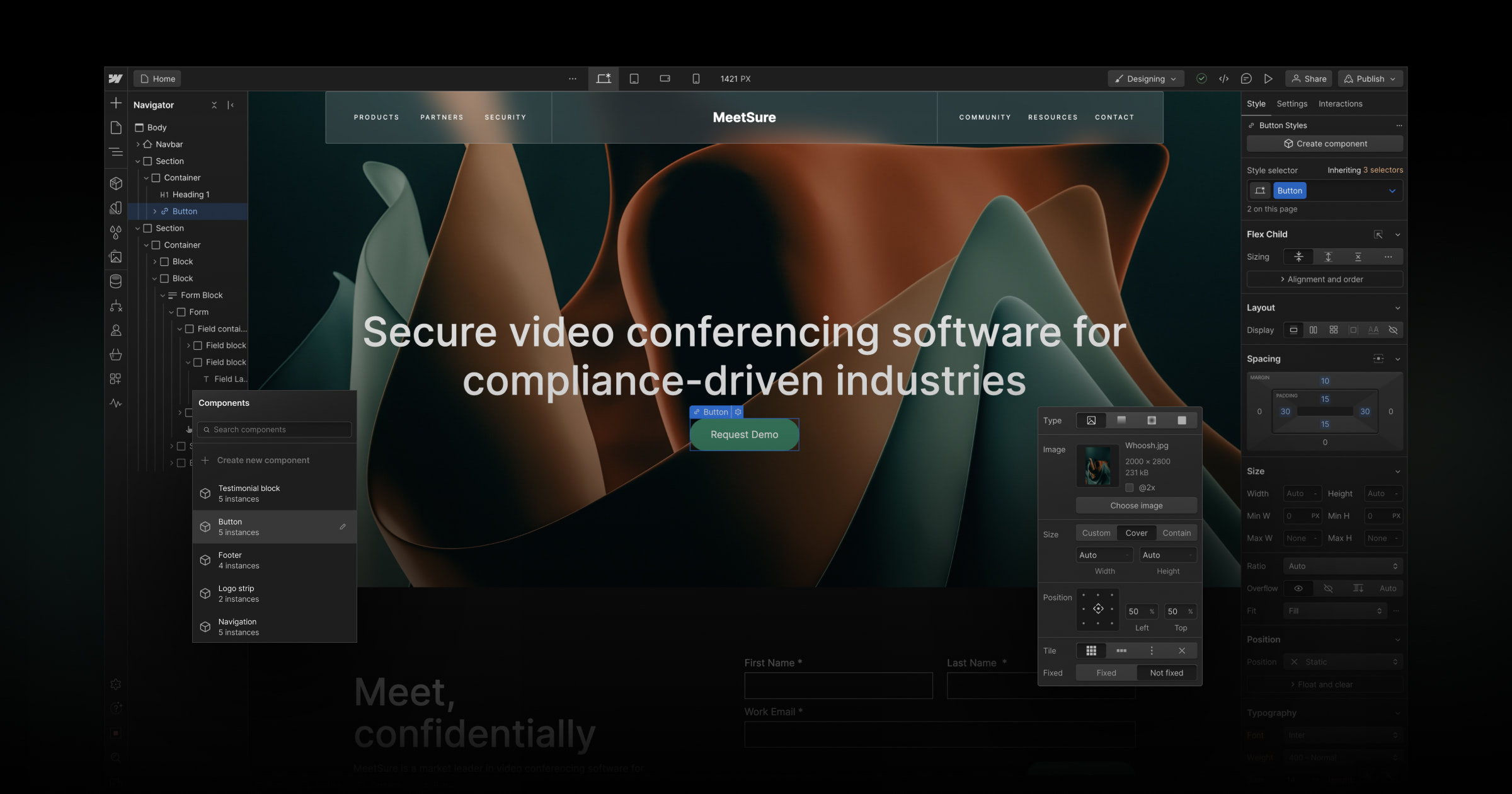
Webflow
Webflow combines ease of use with the power of a real web development tool.
- Strengths :
- An intuitive interface built around a fast visual editor.
- Modern designs, fully customisable.
- Built-in hosting with excellent performance.
- AI tools built in, to build faster
- A large community to turn to when you need help
- Extremely strong for organic search and for running a blog
- Weaknesses :
- A higher cost than the other platforms.
- Harder to get started with for beginners
"Webflow is ideal for building a site with a unique, accessible design, without giving up performance."
Squarespace
Squarespace offers an all-in-one solution for building elegant websites.
- Strengths :
- Professional templates, clean and uncluttered.
- A simple interface you can pick up quickly.
- Weaknesses :
- Limited customisation compared with WordPress and Webflow.
- Less suited to advanced functionality.
- Limits on organic search
Wix
Wix is known for being easy to use, and works well for beginners.
- Strengths :
- A drag-and-drop editor that is intuitive.
- Plenty of templates available.
- Weaknesses :
- SEO limitations that hold back your visibility in search.
- Designs that look less professional for notarial use.
In-house tools
These in-house tools are solutions built internally or by specialised providers. Often sold as a subscription!
- Steer clear, because :
- Designs are often outdated and unappealing.
- Access is difficult when it comes to updates and maintenance.
- Performance is poor, which hurts the user experience.
- A costly recurring subscription is mandatory: you keep paying, year after year.
Tools from the Chambre des Notaires
The tools offered by the Chambre des Notaires may look like a fit, but they come with limits.
- Strengths :
- Regulatory compliance is guaranteed.
- Official support.
- Weaknesses :
- Restricted customisation.
- Generic designs that make it impossible to stand out.
Our recommendation
For a showcase site that is professional and high-performing, we recommend WordPress or Webflow.
- WordPress for its flexibility and its powerful ecosystem.
- Webflow for its modern design and its high performance.
These tools, though less beginner-friendly, offer the best guarantees in terms of credibility and reliability on the market.
Conclusion
The right tool depends on your specific needs and on your technical skill level. That said, for a notary who wants a site worthy of the profession,WordPress and Webflow stand clearly apart.
Watch our tier list of the tools on video
To help you decide, we put together a full tier list on video, going through each tool in detail. Watch it to see where you stand and find the option that suits you best.
.jpg)

.webp)